
Channel growth / 6 min read
Share a YouTube channel report your editor can use
Choose a public report link, share card or Pro export in BuzzBuff, then add the context an editor needs to make a clear production decision.
 MayaBuzzBuff Editorial · Editorial pen name
Published
Updated

The quick answer
Share a YouTube channel report with a specific question, its data date and one requested next action. BuzzBuff offers a free share card and public report link, plus Pro PNG and PDF exports from your saved report. Choose the format your editor can use, explain what the public metrics cover, and supply any relevant private Studio evidence separately through an appropriate channel.
What you’ll take away
- A report handoff works best when it names the production decision and the evidence to inspect.
- Public report links and private Pro exports have different access and content.
- Keep dates, sample coverage and metric definitions with the figures you share.
In this guide
Give the report a job before you send it
An editor who receives a large report without context has to guess what you want changed. More charts do not solve that ambiguity. Start with the decision you need to make together, such as whether a travel series should open with the destination reveal or the journey there.
For an illustrative rail-travel channel, the handoff might say: “Review these three station guides before the next edit. Identify how quickly each shows the route and the ticket-buying process.” The public report can help establish which uploads deserve a look, while the editor examines the actual sequences. You have supplied a task rather than an expectation that a chart will explain the edit.
Include a deadline and the form of response you need: three timestamped observations, a revised opening or a short call. Keep the request small enough that the report supports the work instead of becoming a new project.
Choose the BuzzBuff format that fits the conversation
At buzzbuff.com, open a live channel report and select Share card. The panel provides Download share card and Copy report link. The card uses the latest saved free report and includes its data date. The link opens the public report; it does not transfer your account access or unlock your saved Pro detail for another person.
Pro's Export option creates files from the saved Pro report belonging to your account. PNG is a single image with channel numbers, charts, top breakouts and the newest SEO checks. PDF provides the fuller report on pages, including every named breakout and the analysed videos' SEO checks. Choose according to what the recipient needs to review.
| Handoff need | BuzzBuff option | Useful context to add |
|---|---|---|
| A quick introduction | Free share card | The one figure you want discussed |
| A report someone can explore | Public report link | A named section and a question |
| An overview for a planning document | Pro PNG export | Data date and the next decision |
| A detailed offline review | Pro PDF export | Relevant pages and a short task list |
Prepare and check the handoff
BuzzBuff reduces the work of assembling charts and preserving their labels, but the report still needs your context. Before creating the handoff, check the channel identity, freshness and sample coverage. A report analysing recent uploads should not be described as a complete lifetime archive.
Choose a current report
Run or open the relevant channel report. Read its data date and sample information, then identify the section that supports your handoff question. Keep that scope in the note you send with it.
Create the appropriate output
Use Share card for the free card or public link. With Pro, select Export, then Export PDF or Export PNG. If you are viewing the public copy, follow Refresh report to build your own saved Pro report first.
Review before sending
Download the ready file or copy the report link. Open it yourself and confirm that the relevant information is readable. Add your question, the examples to inspect and the requested response, then send the handoff using your usual collaboration tool.
Keep the context that makes the numbers interpretable
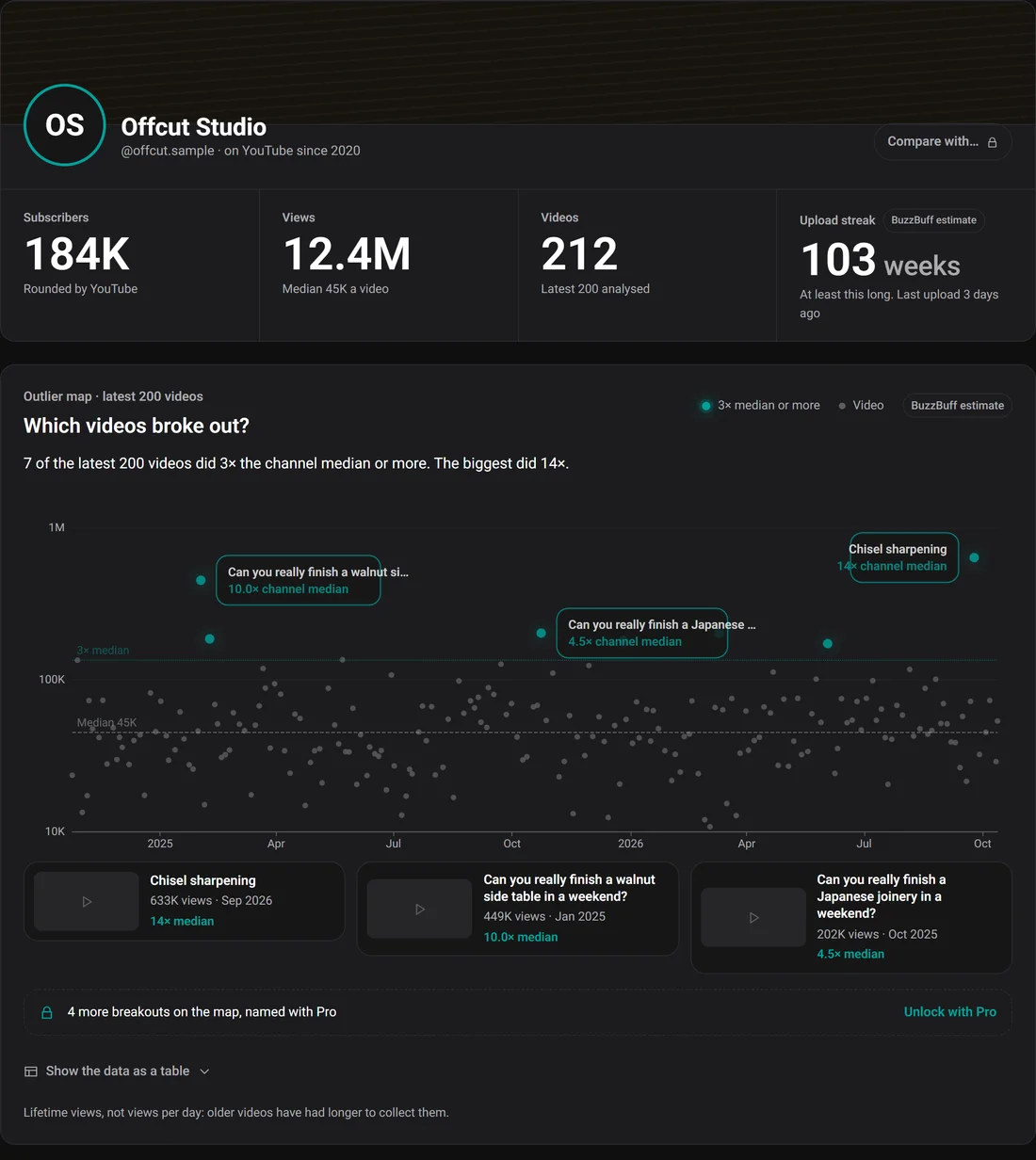
Leave the data date, sample description and the markers on calculated numbers visible when using a chart. A breakout multiple compares public lifetime views with the report's sampled median; it does not explain why a video performed that way. A duration comparison does not establish which edit held attention. Keep your interpretation separate from those observations.
Pro downloads are private to your account and available until the report's data expires, for at most seven days. Your editor should receive the downloaded file through your chosen channel, rather than an account-only download URL. A file you save or send elsewhere becomes a separate copy and may remain after the original report expires.
Likewise, the public report link is not a private collaboration room. It contains the public report version. If private Studio evidence is needed, share only the relevant material through a suitable channel rather than assuming it is part of the BuzzBuff report.
Turn the review into one production change
For the rail-travel example, the editor may notice that the clearer guides show the station exit before explaining ticket options. Record that as an observation from watching the videos. If you also have your own retention evidence, discuss it separately before deciding to change the opening sequence.
Finish with an agreed action and owner: the editor drafts an earlier route reveal, and you supply the missing arrival footage. Keep the report and review note with the production brief. The useful outcome is a decision both people understand, with enough context to revisit it after the next upload.
Frequently asked questions
Will my public report link show someone my Pro report?
It shows the public report version. It does not grant access to your account's saved Pro report. Use an appropriate downloaded Pro export when you want to share its additional detail.
Does an editor need my BuzzBuff login to read an export?
No. Download the PNG or PDF yourself and share the file through your normal collaboration tool. BuzzBuff's export download route is private to your account, so sending that route is not the same as sending the file.
Do exports contain private YouTube Studio analytics?
No. The reports use public channel and video data. Private CTR, retention, watch time and revenue are not included; supply relevant owner evidence separately when needed.


